01
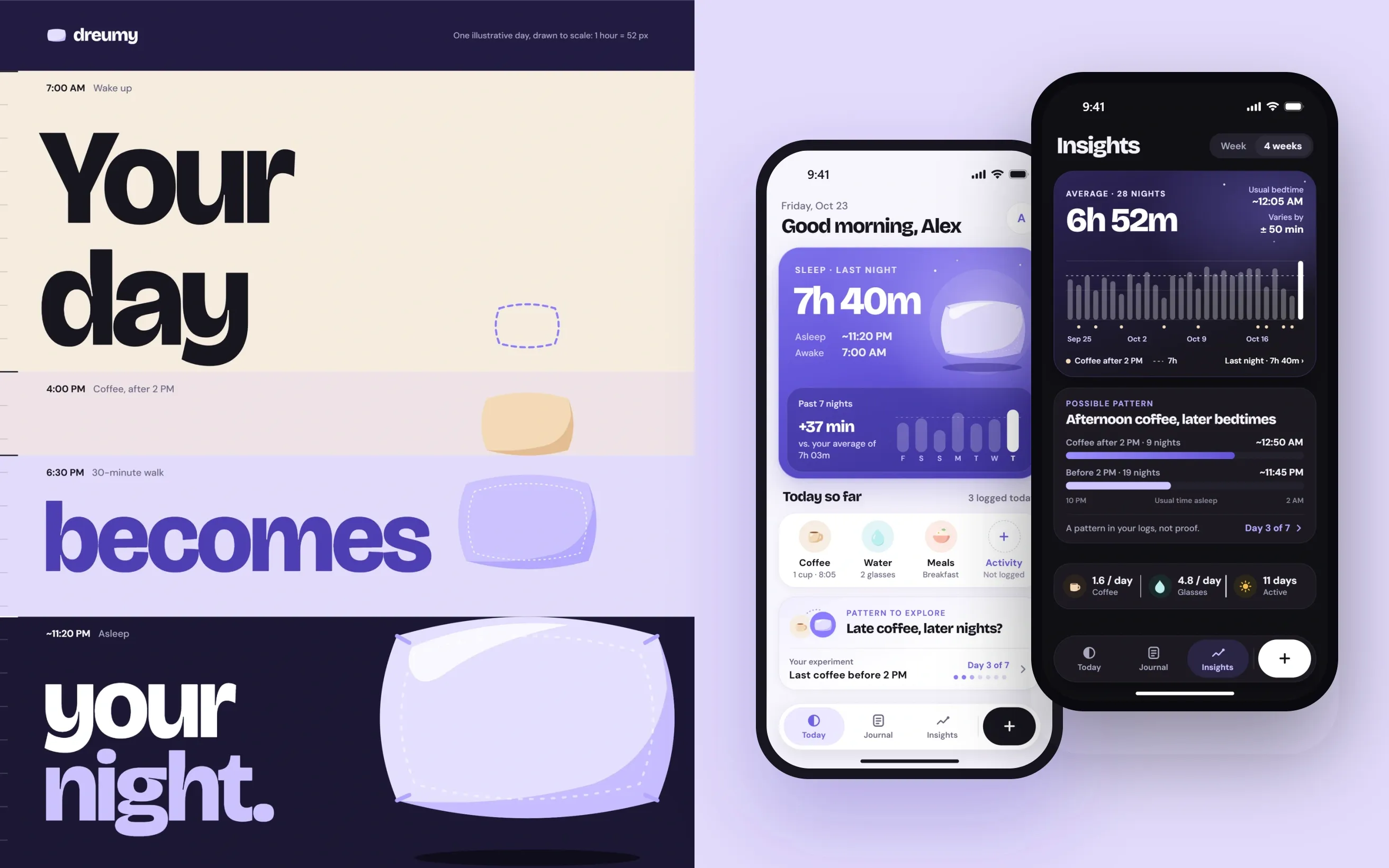
Read the Modo case studyModo
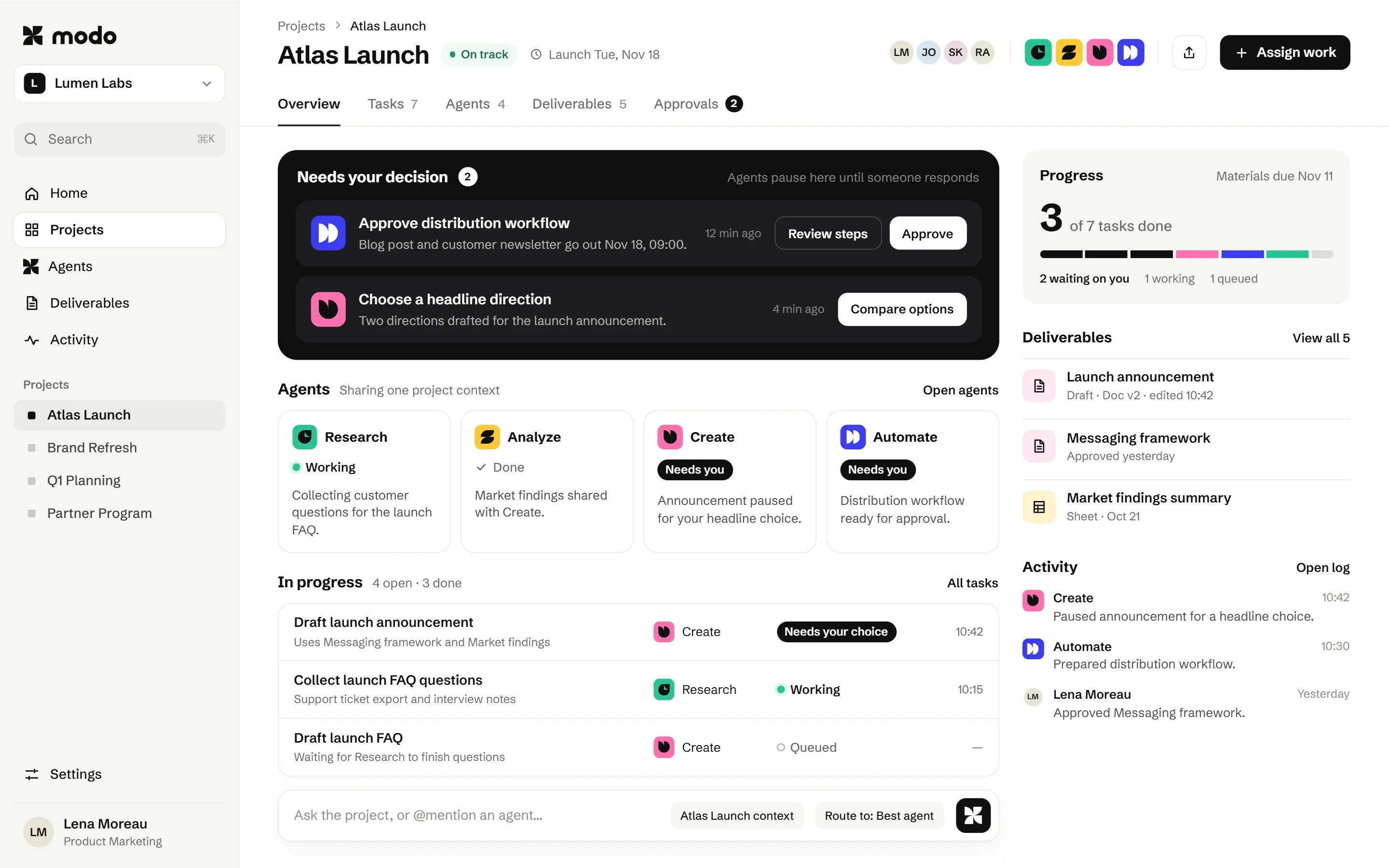
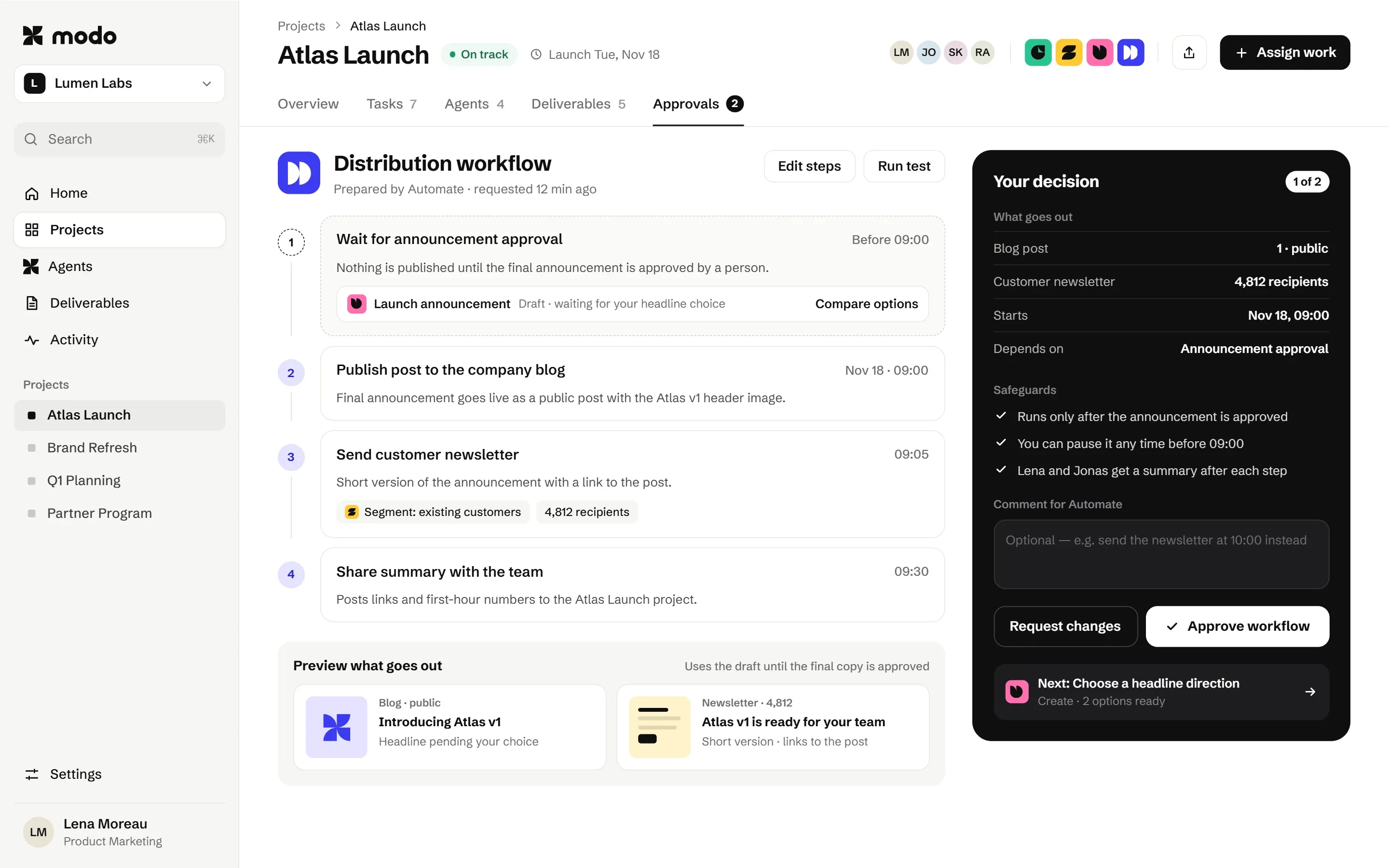
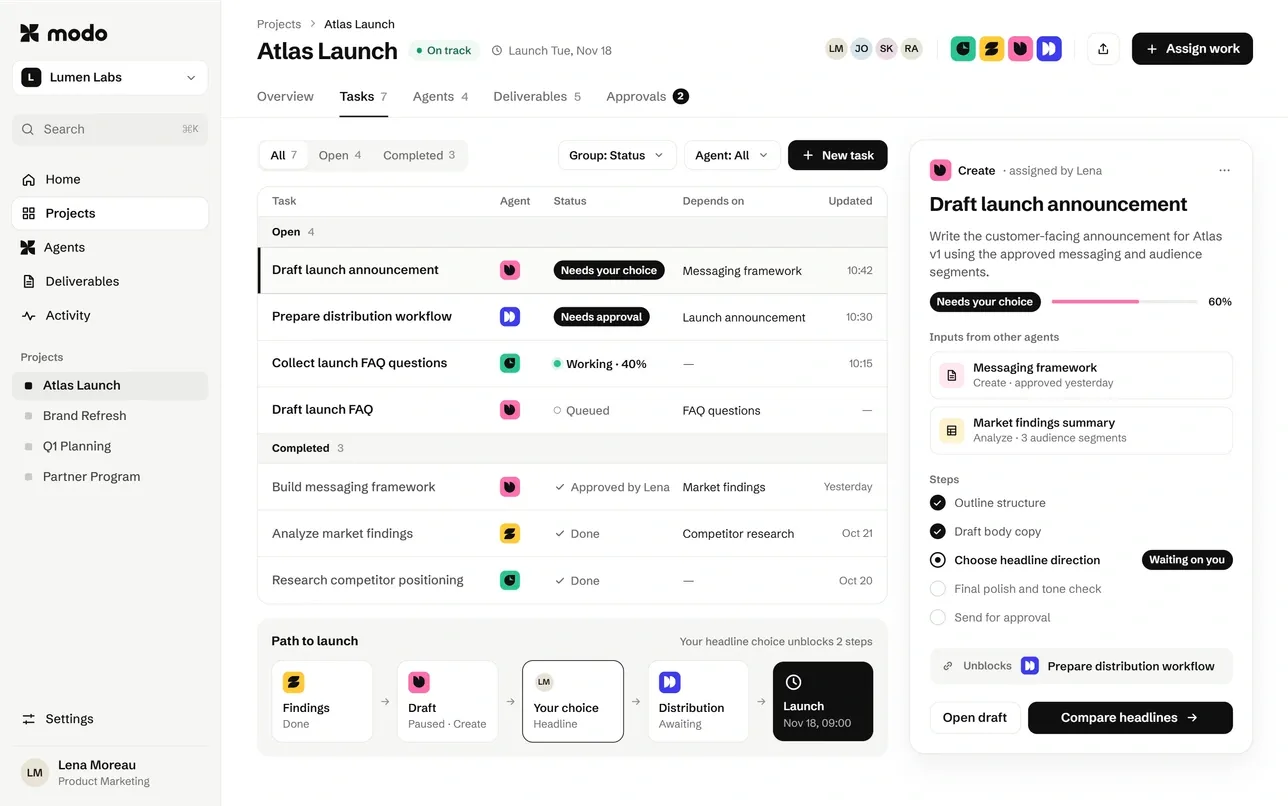
- Decisions that need a person surface first.
- Each agent keeps a consistent colour and shape.
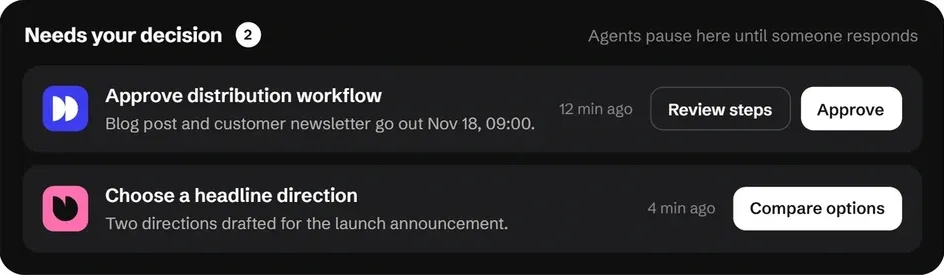
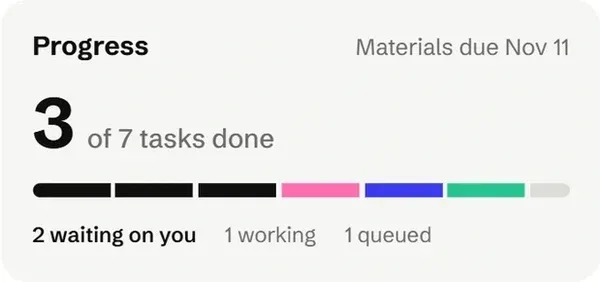
- Progress, deliverables and activity stay in one project context.
SAAS PRODUCT DESIGN · UX/UI
UX and UI design for SaaS platforms, internal tools, dashboards and AI products. From the first workflow map to annotated, developer-ready screens.
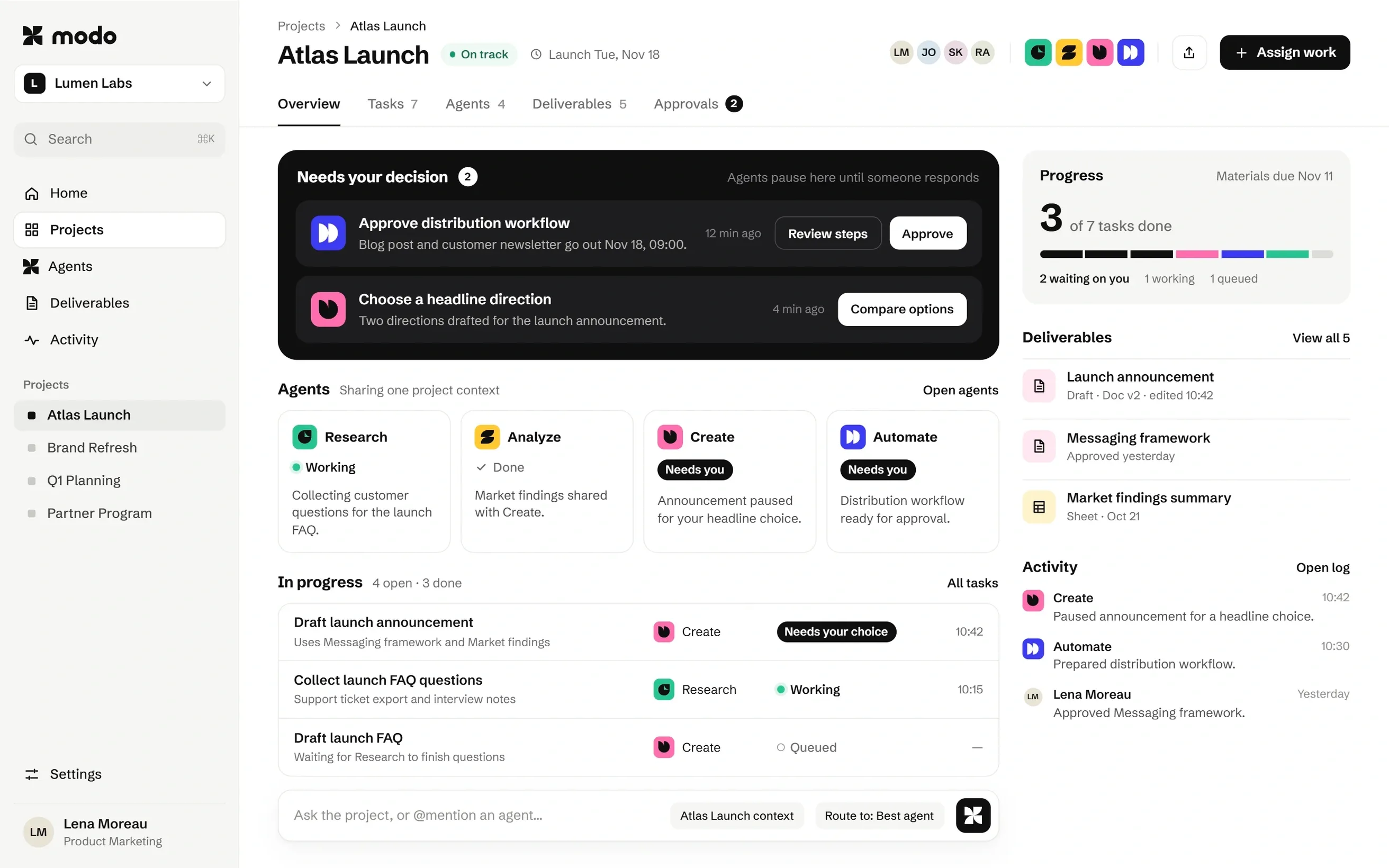

COMPONENT · NEEDS YOUR DECISION
COMPONENT · AGENTS
COMPONENT · PROGRESS
DESIGNED FOR
WHERE WE START
We start from the current product or the requirements you have, find where users get stuck, and redesign the flows and screens that matter most.
The onboarding, approval or set-up path where people stall, ask for help or give up.
Every number shown with the same weight, so the one decision that matters gets lost.
Features added one at a time, until navigation and screens no longer fit how the team works.
SELECTED WORK
Each one is designed end to end, with the reasoning written down.
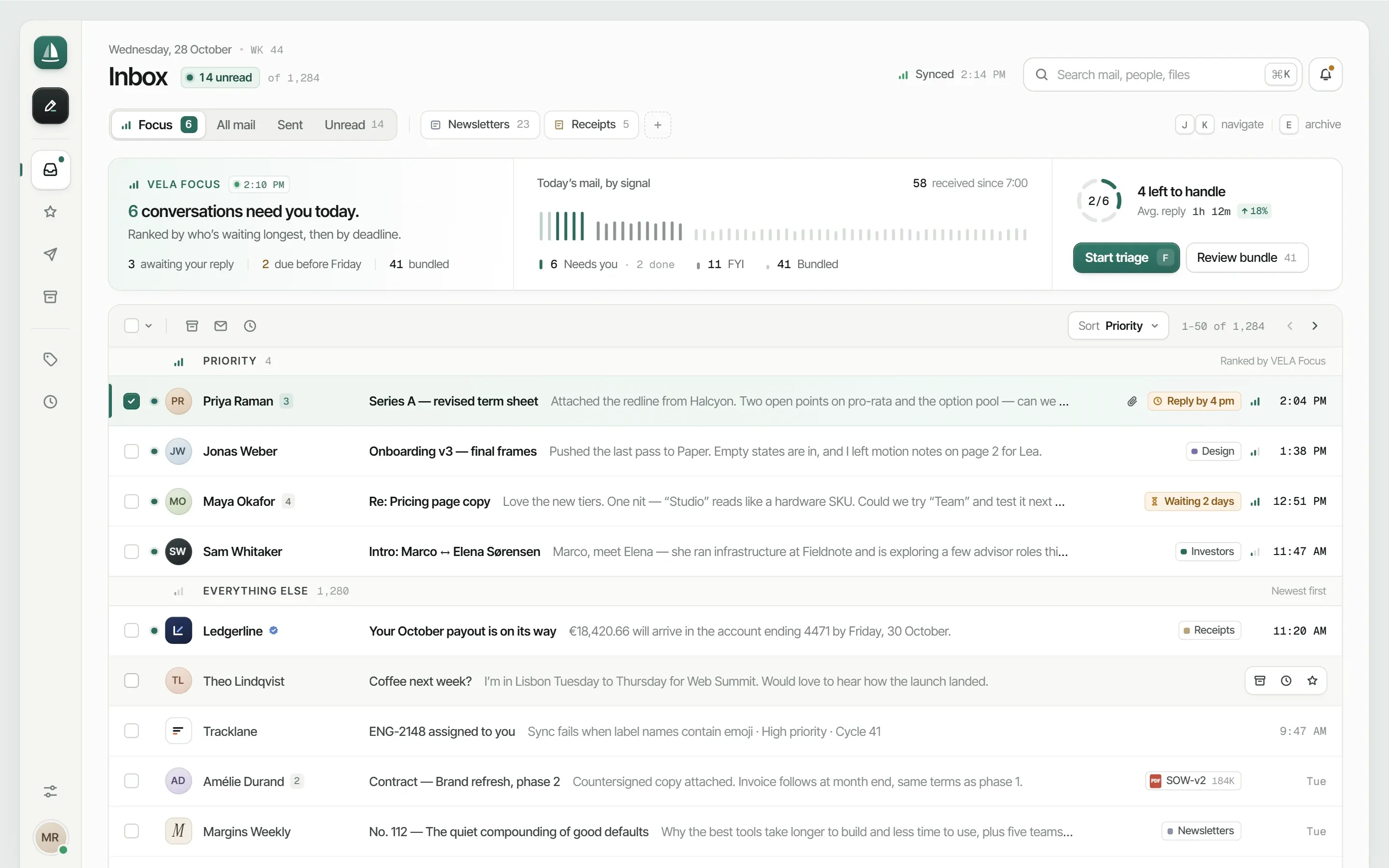
THE DETAIL MOST PRODUCTS SKIP
Empty, loading, error and done states are part of every component we hand off, so developers aren’t left to guess what happens when data is missing, slow or wrong.
Emptystate/empty
Nothing waiting on you
New items appear here as soon as they need a decision.
View historyLoadingstate/loading
Errorstate/error
Donestate/done
All three approved
Changes are logged. You can undo for the next 10 minutes.
HOW WE WORK
Fidelity rises one stage at a time, so structural questions are settled in wireframes instead of being discovered in finished UI.
01
Users, key tasks, requirements and technical constraints, mapped.
02
Flows, navigation and information architecture, tested as wireframes.
03
Visual system, layouts and components, including empty, loading, error and done states.
04
Consistency across screens; specs and annotations prepared for developers.
Deliverables depend on the agreed scope. A design system is included where the product needs one.
PRICING
Products vary too much for fixed packages. After a first call you get a written proposal with the scope, timeline and investment.
GUIDE
What UX/UI design for B2B software covers, where products get hard to use and how the work reaches code.
SaaS product design is the UX and UI of the software itself: the flows a user follows, the screens they see, the components those screens are built from and the states each component can be in. For B2B software it also means designing for several roles, dense data and decisions that have real consequences, so clarity matters more than decoration.
Most products do not start complex; they become complex as features are added for different customers. Navigation grows, settings multiply and every screen tries to show everything. Good UX/UI design brings structure back: clear hierarchy, progressive disclosure, consistent components and onboarding that gets a new user to value quickly.
Real users see empty screens, slow connections, errors and finished tasks. Each of those states is designed, so the product feels reliable when something goes wrong, not only in the demo. The same thinking applies to accessibility: keyboard focus, contrast and readable type are part of the design, not a fix after launch.
Screens are built from a documented component system, so your developers can implement them consistently. When you need the front-end built as well, Atreo develops interactive interfaces in Next.js, keeping the design and the code in one process. Not sure which framework fits? Read the Astro vs Next.js vs Framer comparison.
Product work is scoped per project, because a new onboarding flow and a full dashboard redesign are very different jobs. After the first call you get a proposal with scope, deliverables, timeline and investment. See pricing for how projects are structured. For a first number, read how much a SaaS website costs or try the website cost calculator.
FAQ
Still unsure if your product fits? Send us a screen and the question, and we’ll tell you on the call.
B2B software: SaaS platforms, internal tools, dashboards and workflow or AI products, on web and on mobile where needed.
Yes. We start from the product as it is, identify where people get stuck, and redesign the flows and screens that matter most, without starting over where it isn’t needed.
Yes. Specs, tickets, roadmaps and existing screens are a good starting point. Where requirements are still open, we clarify them with you in the first stage.
Where the product needs one. That can mean a focused component set for the screens in scope, or extending a system you already have. It’s defined in the proposal.
Yes. We review technical constraints early, share work in progress, and stay available for questions during implementation as agreed.
Organised design files, the key states and annotations developers need. The exact handoff (specs, component documentation, walkthroughs) is set out in the agreement.
After a first call we look at complexity, the number of flows and screens, platforms and your existing system. You then receive a written proposal with scope, timeline and investment.
Bring the problem flow, the crowded dashboard or the product you’ve outgrown. We’ll look at it together.